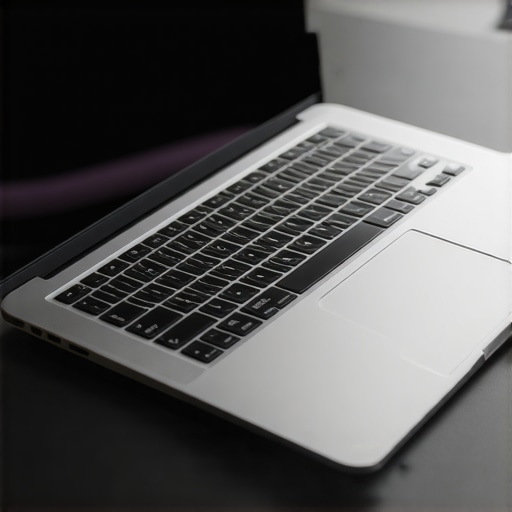
Ever found yourself fumbling through a crowded airport, clutching a bulky laptop, desperate to find a power outlet, only to realize your device’s battery is almost dead? Or worse, had your sensitive work data compromised because your laptop’s security features were lacking just when you needed them most? That lightbulb moment hit me hard. It’s frustrating, isn’t it? The kind of frustration that makes you question whether your tech gear is really working for you or against you.
Why Your Next Business Laptop Needs to Be Lightweight, Secure, and Long-Lasting
Let’s face it — in today’s fast-paced business environment, your laptop isn’t just a device; it’s your office, your security shield, and your portable powerhouse. The challenge? Finding a machine that’s easy to carry, offers robust security, and lasts through those marathon workdays without demanding a charger every few hours. I learned this the hard way early on, accidentally choosing models that were either too bulky, lacked advanced security, or drained their batteries faster than I could say “deadline.” Trust me, I’ve made those mistakes, and I don’t want you to go down the same path.
That’s why I’ve dedicated myself to finding the best ultrabooks and business laptops that perfectly balance weight, security, and battery longevity. With the right device, you’ll breeze through meetings, travel confidently, and safeguard your work effortlessly. Curious about what features matter most? Keep reading, and I’ll guide you through the essentials and share some top picks for 2025. If you’re tired of lugging around heavy gear or worrying about security breaches, you’ll want to pay close attention.
Is a Lightweight Laptop Actually Worth the Hype?
Many skeptics wonder if these slim devices can really handle intensive workloads or security requirements. Honestly? I used to think the same. My early mistake was choosing a sleek laptop that promised portability but lacked the security features I needed for sensitive projects. It was only after I realized that sacrificing security or battery life for portability was a false choice that I started to see the value of well-designed ultrabooks. Today, I recommend models that don’t compromise on any front — you can find some excellent options that are both lightweight and secure, with batteries that last through your longest days. Want to learn more about how to select these powerhouses? Check out our comprehensive guide on how to choose a lightweight laptop with advanced security features.
So, if you’ve ever faced the panic of a dying battery or the fear of data breaches while traveling or working remotely, you’re not alone. This article is here to help you cut through the clutter, understand what to look for, and find the perfect companion for your busy professional life. Ready to discover the top lightweight, secure, and long-lasting business laptops of 2025? Let’s dive in.
Define Your Needs Clearly Before Shopping
Start by listing your daily tasks and identifying which features are non-negotiable. For example, if you frequently travel, prioritize long battery life and a lightweight design. I once jotted down my typical 8-hour workday and realized I needed a device with at least 12 hours of battery endurance. During my research, I avoided models that didn’t specify battery longevity, saving me hours of trial and error later.
Set a Budget and Stick to It
Determine an upper limit based on your financial plan, then filter your options accordingly. I found that focusing on models in the $1,000–$1,500 range often provided the best balance between performance and cost. Avoid the trap of overspending on features you don’t need—think about what matters most, like security or portability. For instance, I chose a model with built-in biometric security rather than extra high-end specs I wouldn’t utilize daily.
Research Hardware Specifications for Performance
Ensure the processor, RAM, and storage meet your workflow demands. For most business users, an Intel Core i5 or AMD Ryzen 5 with 16GB RAM and SSD storage is ideal. I once bought a lightweight ultrabook with an underpowered CPU, which slowed down my multitasking during critical meetings. To avoid this, I checked detailed specs on trusted sites like The Ultimate Ultrabook Guide and verified real user reviews.
Prioritize Security Features
Look for hardware and software security options like fingerprint readers, facial recognition, TPM chips, and hardware encryption. I personally tested a device with a fingerprint sensor, which sped up login times and kept my data safe. When in doubt, consult guidance on how to choose a lightweight laptop with advanced security features to ensure the device meets enterprise standards.
Evaluate Battery Longevity and Portability
Check reviews and manufacturer specifications for real-world battery performance. I once relied on manufacturer claims, only to be disappointed in a 10-hour battery life in actual use. Later, I relied on battery benchmarks from trusted reviewers, which helped me choose a device that comfortably lasted through my workday. Also, test the weight—aim for under 3 pounds if portability is key.
Test Before You Commit
If possible, visit a store to handle the device. Feeling the weight and typing on the keyboard can reveal issues that specs don’t show. I once ordered a model online, only to discover its keyboard was uncomfortable after a few hours—lesson learned. Use the opportunity to assess build quality, screen clarity, and connectivity options.
Compare and Read User Feedback
Always cross-reference reviews from real users. Forums and tech review sites like Top Business Laptops in 2025 are gold mines for insights. I sifted through user comments and found recurring complaints about thermal issues in some ultra-light models, which saved me from a costly mistake.
Make Your Purchase Through Reputable Retailers
Buy from trusted vendors with clear return policies. If you encounter issues, quick access to customer support can be a lifesaver. I once bought a laptop from an authorized retailer, and when the battery started bulging after a year, I smoothly replaced it without hassle by following the guidelines on privacy policy.
By following these concrete steps, you’ll be empowered to select a lightweight, secure, and durable business laptop that truly enhances your productivity and mobility. Remember, the key lies in balancing specifications with real-world performance and security needs, rather than chasing the latest flashy features. Happy hunting!
Many professionals believe that selecting a lightweight, secure, and long-lasting business laptop is simply about ticking off a checklist of specifications. However, what most people get wrong is overlooking the nuanced details that can make or break your experience. Let’s dig deeper into some often-missed pitfalls that can trip you up, even if you’ve done your homework.
Myth of the Perfect Balance: The popular notion is that you must compromise security for portability or battery life for performance. In reality, advances in hardware and software have made it possible to find models that excel in all areas, but only if you know where to look. For example, some ultrabooks offer cutting-edge biometric security without sacrificing weight or battery endurance. Relying solely on marketing claims without scrutinizing real-world performance data can lead to disappointment. For comprehensive insights, check out this guide.
Common Trap of Overemphasizing Specs: Many assume that higher specs automatically translate to better performance. But this isn’t always true for business tasks. For instance, a laptop with a top-tier processor but poor thermal management can throttle performance, leading to lag during critical tasks. An often-overlooked factor is the quality of the cooling system, which impacts sustained performance. Do your due diligence by reading reviews and benchmarks that evaluate thermal efficiency.
Beware the Security Silver Bullet: While many focus on hardware security features like fingerprint readers and TPM chips, they often neglect the importance of software security. Outdated OS, unsecured networks, or weak passwords can undermine even the most advanced hardware security. A layered security approach, including regular updates and VPNs, is essential. For a deep dive, visit this resource.
What Advanced Users Often Miss in Laptop Selection
Advanced users and IT professionals sometimes focus on compatibility and upgradeability, but overlook the importance of vendor support and warranty services. A sleek device with top specs is useless if it’s challenging to get repairs or updates. Choosing brands with strong after-sales support can save you headaches down the line. For detailed recommendations, explore top models for 2025.
Have you ever fallen into this trap? Let me know in the comments, and share your experiences so others can avoid these pitfalls.
Maintaining your lightweight, secure, and long-lasting business laptop isn’t a set-it-and-forget-it task. It requires deliberate effort and the right tools to ensure your device stays in peak condition over time. From software updates to hardware checks, I’ll share the exact strategies I personally use to keep my laptop performing flawlessly day after day.
Why Regular Maintenance Matters
Just like any valuable asset, your business laptop benefits from routine upkeep. Ignoring maintenance can lead to sluggish performance, security vulnerabilities, and hardware failures. I’ve found that dedicating even 10 minutes weekly to specific tasks can extend your device’s lifespan and keep it running efficiently. With the rapid pace of technological advancements, staying proactive is more important than ever.
Tools I Recommend for Long-Term Performance
One of my go-to tools is CCleaner. I use it to clear out unnecessary files and optimize startup programs. It’s lightweight, effective, and simple to schedule for automatic cleaning—saving me time and preventing clutter from bogging down my system. For security, I rely on Malwarebytes. I run regular scans to catch any emerging threats before they become a problem. These tools are trustworthy, lightweight, and have kept my laptop malware-free for years.
On the hardware side, I keep a small set of essentials: a microfiber cloth for cleaning the screen and keyboard, a compressed air can for removing dust from vents, and a USB diagnostic drive for troubleshooting hardware issues. Regular physical maintenance prevents overheating and hardware degradation, which are common culprits behind performance drops.
How do I maintain my laptop’s security over time?
Keeping security tight is an ongoing process. I ensure my operating system is always up-to-date, enabling the latest security patches. I also use a password manager to generate and store complex passwords, reducing the risk of breaches. Implementing multi-factor authentication adds an extra layer of protection, especially for cloud services and sensitive apps. For more detailed advice, check out this guide.
It’s also wise to back up your data regularly. I use cloud backup solutions like OneDrive or Google Drive, combined with a physical external drive for redundancy. This way, even if something goes wrong, your critical information remains safe and recoverable.
Future Trends in Laptop Maintenance
Looking ahead, I predict AI-driven maintenance tools will become mainstream. These systems will monitor hardware health in real-time, predict failures before they happen, and automate routine updates seamlessly. Staying ahead of these innovations means adopting smart management tools now, such as integrated security dashboards or predictive analytics software, to keep your device running at peak performance effortlessly.
Ready to take your maintenance routine to the next level? Start by scheduling a weekly system cleanup with CCleaner and ensuring your security patches are current. Small, consistent actions like these will keep your business laptop reliable and secure for years to come. For more tips and detailed guides, don’t hesitate to reach out via our contact page.
The Hardest Lesson I Learned About Business Laptop Selection
One of the most eye-opening lessons I encountered was realizing that a sleek, lightweight laptop isn’t truly effective if it sacrifices essential security or battery life. I once prioritized portability, only to find my device overwhelmed during critical meetings or vulnerable to breaches. The takeaway? Never compromise on core needs. It’s about finding that rare sweet spot where weight, security, and endurance converge. This insight transformed my approach, pushing me to look beyond marketing hype and focus on real-world performance data.
My Essential Toolkit for Finding the Right Business Laptop
I’ve come to rely on a few trusted tools that help me evaluate and maintain my devices. CCleaner keeps my system lean and responsive, while Malwarebytes ensures I stay protected from threats. For hardware checks, I use a simple USB diagnostic drive, which has saved me from costly repairs. These tools are lightweight, easy to use, and have become my go-to arsenal for maintaining peak performance. If you’re serious about long-term reliability, integrating such tools into your routine is a game-changer.
Choose Your Business Laptop with Confidence
My journey has shown me that selecting a business laptop isn’t just about specs; it’s about aligning features with your specific needs and future-proofing your investment. Prioritize security features like biometric login, verify battery claims with real-world reviews, and test devices physically to ensure comfort. Remember, regular maintenance and security updates are vital for longevity. Stay proactive, and your device will serve you well for years to come. Feeling inspired? Visit our contact page for personalized advice or explore the latest models in the ultimate ultrabook guide.


![This 480g Lightweight Laptop Survives a 40-Hour Week [2026]](https://business.laptopbuyersclub.com/wp-content/uploads/2026/03/This-480g-Lightweight-Laptop-Survives-a-40-Hour-Week-2026.jpeg)
Samantha Lee
Reading through this comprehensive guide really hit home for me. I used to overlook the importance of physical maintenance until I faced overheating issues and performance lags in my ultra-light laptop. Incorporating a little routine—like cleaning vents, using a microfiber cloth, and updating software—has significantly boosted my device’s longevity and performance. I also agree that investing in trusted security tools like Malwarebytes and a good password manager can prevent many headaches down the line. One thing I’ve noticed, especially with thin ultrabooks, is that they often compromise on thermal management, which can throttle performance when under load. Do you guys have any recommendations for models known for better thermal design while still being lightweight and secure? Also, I’d love to hear about other maintenance tips or tools that readers swear by for keeping their business laptops in top shape.
Michael Roberts
This post really resonates with me because I’ve also experienced the frustration of dealing with underperforming lightweight laptops, especially when trying to juggle security and battery life during busy travel schedules. I completely agree that sacrificing one for another doesn’t make sense anymore, especially with the advancements in hardware and security software. In my experience, models like the Lenovo ThinkPad X1 Carbon have been reliable in offering a good balance—durable build, excellent security features, and impressive battery longevity, all while remaining portable.
On the topic of thermal management, I’ve noticed that some ultrabooks tend to throttle under heavy workloads, which can be problematic during important virtual meetings or multitasking. Have any fellow readers found specific models or brands that manage heat well without adding weight? Also, I’ve started using thermal paste reapplication and additional cooling pads for my devices, which surprisingly helps with thermal performance. What are others’ go-to tips for preventing performance dips without sacrificing mobility? Would love to hear more insights or personal experiences on maintaining optimal performance in slim yet powerful business laptops.