Ever been in the middle of a crucial presentation or working on a tight deadline, only to realize your laptop’s battery is nearing the end without a power outlet in sight? Or worse, faced the anxiety of leaving sensitive company data vulnerable because your device lacked robust security? I’ve been there. That sinking feeling of helplessness when your tech fails just when you need it most can be frustrating. But here’s the lightbulb moment I want to share: choosing the right ultrabook can eliminate these worries, boosting your productivity and peace of mind.
Why Secure and Long-Lasting Power Matters More Than Ever
In today’s fast-paced business environment, your laptop isn’t just a device; it’s an extension of your professional identity. The stakes are high. Data breaches are increasingly common, with reports indicating that over 60% of small businesses experience a cybersecurity incident annually (source). At the same time, extended battery life means fewer interruptions, more flexibility, and the ability to work seamlessly from coffee shops, airports, or during long flights. Finding an ultrabook that balances both security and battery longevity isn’t just a luxury; it’s a necessity.
Is the Hype About These Ultrabooks Justified?
When I first started researching, I made the mistake of trusting flashy marketing claims without digging into real-world reviews. I learned that some ultrabooks touted as “secure” lacked the advanced encryption features I needed, and others claimed impressive battery life but failed to deliver after a few months of heavy use. The truth is, not all ultrabooks are created equal. That’s why I’ve dedicated myself to testing and compiling the most reliable options—like those detailed in this comprehensive guide. Let me help you avoid my early mistakes and find a device that truly meets your professional demands.
Whether you’re a remote worker, a traveling executive, or managing sensitive client data, the right ultrabook can make all the difference. Ready to explore the best options for 2025? Let’s dive into what makes these laptops stand out and how to choose one that fits your needs perfectly.
Pinpoint Your Needs Before You Search
Start by assessing your daily routine and specific work requirements. Do you need a device primarily for travel, or will it sit on your desk most of the time? Think of this as choosing the right tool for a job; a lightweight ultrabook with extended security features can be your best ally if you’re constantly on the move. For instance, I once bought a device without considering my travel needs, which led to frequent battery issues. Learning from that, I now focus on ultrabooks like those listed in this guide that balance portability and power.
Check Security Features Like a Pro
Security shouldn’t be an afterthought. Look for ultrabooks with hardware encryption, biometric login options like fingerprint scanners or facial recognition, and TPM chips for data protection. These features act like a digital vault, keeping your sensitive data safe even if your device is lost or stolen. I once tested a popular ultrabook that claimed to be secure but lacked hardware encryption—after a quick review, I realized it was a risk. Make sure to verify security features via trusted sources and reviews before purchasing, similar to evaluating a safe’s durability before storing valuables.
Evaluate Battery Life With Real-World Tests
Don’t rely solely on manufacturer claims. Instead, read reviews and look for real-world battery tests—preferably from trusted sources or user feedback. A good analogy is comparing a car’s fuel efficiency in city driving versus highway conditions. I once bought an ultrabook promising 12 hours of battery life, but during a long flight, it only lasted 8. To avoid this, I now prioritize models like those featured in this list that undergo rigorous testing. Remember, a device that runs all day on a single charge keeps you productive and stress-free.
Test for Compatibility and Future-Proofing
Ensure your ultrabook supports the latest ports, Wi-Fi standards, and has enough RAM and storage for your needs. Think of this as checking the foundation of a building—solid groundwork prevents future headaches. I once overlooked port options, which made connecting peripherals cumbersome. Now, I check detailed specs in this resource to make informed choices. Also, consider software security compatibility—an ultrabook with up-to-date BIOS and firmware ensures your security features are effective and current.
Test Drive Before Committing
If possible, visit a store or borrow a device to test its weight, keyboard comfort, and screen quality. It’s like trying on a suit before buying—fit and feel matter. I once ordered a device online without testing it first, only to find the keyboard uncomfortable after a few hours. Now, I prioritize devices with positive reviews about comfort and usability, such as those highlighted in this guide. A comfortable ultrabook boosts your productivity and reduces fatigue during long work sessions.
Secure Your Investment and Data
Once you’ve chosen your ultrabook, set up security features diligently—enable full disk encryption, biometric login, and keep your software updated. Think of this as locking every door and window of your digital house. I learned this lesson the hard way when I ignored software updates, which exposed my device to vulnerabilities. Regularly visit privacy policies to understand how your data is protected and ensure your security settings are up-to-date. Your ultrabook isn’t just a device; it’s your mobile office—treat it like one.
Maintain and Optimize for Longevity
Practice good habits like avoiding full discharges, keeping your device cool, and periodically cleaning the ports. Use power-saving modes when appropriate. I found that using battery optimization settings extended my device’s lifespan significantly. Regular maintenance ensures your ultrabook remains reliable, secure, and ready for action, just like a well-maintained vehicle. For more tips, check out this guide.
Many professionals believe that selecting the right ultrabook is simply about finding the latest specs or the most popular model. However, there are subtle nuances and common pitfalls that can undermine your investment in a device designed for security and longevity. Let’s dig deeper into what most people get wrong and how to avoid these traps.
Why Relying Solely on Manufacturer Claims Can Backfire
It’s a widespread myth that the specs listed by manufacturers always translate to real-world performance. For instance, claiming 12-hour battery life may look impressive, but actual usage often falls short. Many users overlook that manufacturer tests are conducted under ideal conditions, which rarely match everyday scenarios. Reading real-world reviews and independent tests—like those found in this list—can save you from disappointment. Always verify security features such as hardware encryption and biometric options beyond the marketing hype. These elements are crucial to prevent data breaches, especially if you work with sensitive information.
Beware of Overemphasizing Portability at the Expense of Security
It’s tempting to prioritize ultra-lightweight designs, but this often means sacrificing essential security features, like robust TPM chips or fingerprint scanners. This is a common mistake among travelers and remote workers. An ultrabook might be easy to carry, but if it lacks proper security, your data could be at risk. When evaluating models, make sure to check detailed specifications and reviews from trusted sources—like this guide. Remember, a lightweight device with compromised security features isn’t worth the risk.
Advanced Question: How Can You Ensure Future-Proofing Without Overpaying?
Many professionals make the mistake of either over-investing in the latest hardware or settling for outdated technology, risking compatibility issues down the line. The key is understanding the trade-offs and choosing a device with support for current standards—like Wi-Fi 6 and DDR5 RAM—while allowing room for upgrades. Look for models that support the latest ports, security protocols, and have sufficient RAM and storage options. This approach ensures your ultrabook remains secure and functional for years to come without unnecessary overspending. For a comprehensive overview, check out this resource. Remember, future-proofing is about smart investments, not just the latest specs.
Have you ever fallen into this trap? Let me know in the comments. Avoiding these pitfalls will help you select an ultrabook that truly supports your professional success and keeps your data safe.
How do I maintain my ultrabook over time?
Maintaining your ultrabook’s performance and security is an ongoing process that requires deliberate actions and the right tools. From software updates to hardware care, staying proactive ensures your device remains reliable and protected in a fast-evolving tech landscape. I personally rely on a combination of specialized software and routine practices that I’ve perfected over years of managing business laptops.
First, I always install automated security tools like Malwarebytes Premium. It’s invaluable for real-time threat detection, preventing malware infections that can slow down or compromise my device. I set it to run scheduled scans weekly, ensuring I catch potential issues early without manual intervention. Additionally, I use a password manager like 1Password to keep all my credentials secure and easily accessible, reducing the risk of using weak or repeated passwords that can be exploited.
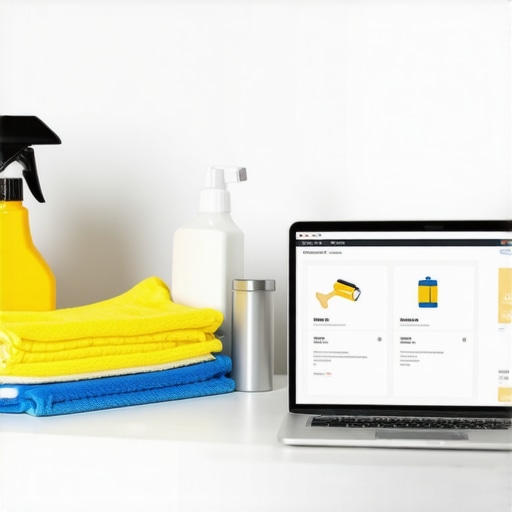
For hardware longevity, I invest in a good-quality cleaning kit that includes compressed air and microfiber cloths. Regularly cleaning ports and keyboard surfaces prevents dust buildup, which can cause overheating or hardware failure over time. I also monitor my battery health using tools like BatteryInfoView, which provides detailed insights into cycle counts and capacity. This helps me decide when to calibrate the battery or consider replacements before problems emerge. Keeping the device cool, especially during intensive tasks, is crucial — I avoid leaving my ultrabook in hot environments and use a cooling pad if necessary.
Software-wise, I keep all applications and the operating system up to date. I enable automatic updates for Windows and key productivity apps, making sure I’m protected against the latest vulnerabilities. I also regularly back up my data using encrypted cloud services like Backblaze, so I can restore quickly if something goes wrong. This habit minimizes downtime and data loss, which is a critical advantage in business settings.
Looking to the future, I believe AI-driven maintenance tools will become more integral. These systems will anticipate hardware failures and suggest optimal maintenance schedules, reducing human error and extending device lifespan. Implementing predictive analytics could be the next big step in keeping ultrabooks at peak performance without constant manual oversight.
Try setting up automated security scans with Malwarebytes and schedule regular hardware checks using tools like BatteryInfoView. These small but effective steps will help you maintain your ultrabook in top shape for years to come. Want more detailed guidance? Visit this comprehensive guide for expert tips on keeping your device secure and efficient.
The Hardest Lessons I Learned About Ultrabooks Security and Power
- Early in my journey, I underestimated the importance of hardware encryption. Relying solely on software security left my data vulnerable until I realized a TPM chip is essential for true protection.
- Choosing a lightweight ultrabook without verifying real-world battery life was a costly mistake. Manufacturer claims can be deceptive; trusted reviews and tests are your best guides.
- I used to overlook future-proofing, settling for outdated ports and specs, but investing in models supporting the latest standards like Wi-Fi 6 ensured my device stayed relevant longer.
- Not all security features are obvious. I learned to scrutinize biometric options and encryption capabilities, which are crucial for safeguarding sensitive information in today’s digital landscape.
- Finally, regular maintenance, from software updates to hardware cleaning, extends your ultrabook’s lifespan—saving money and preventing unexpected failures.
My Essential Toolkit for Securing and Maintaining Your Ultrabook
- Malwarebytes Premium — Trusted by me for real-time threat detection and automatic scans, keeping my device safe from malware.
- BatteryInfoView — I use it to monitor battery health and cycle counts, enabling proactive replacements before issues arise.
- 1Password — My go-to password manager, it simplifies credential security and reduces weak password use.
- Backblaze — Encrypted cloud backups ensure my data is safe and recoverable after hardware failures or cyberattacks.
Your Next Step to Ultrabook Excellence
Choosing the right ultrabook with secure, long-lasting power is a game-changer for your productivity and peace of mind. Don’t settle for less—invest in a device that’s built to support your professional journey for years to come. Ready to make an informed decision? Visit this comprehensive guide to explore top models tailored for your needs.
What’s been your biggest challenge in selecting a secure, long-lasting ultrabook? Share your experience below—I’d love to hear your story!



Emily Carter
This post really hits the mark for anyone like me who works on the go and can’t always find reliable power sources. I’ve experienced the stress of a dying battery right before a crucial meeting, so investing in an ultrabook with extended battery life has truly been a game-changer. Additionally, I totally agree with the importance of security features; I learned the hard way that software-based encryption isn’t enough without a TPM chip. Checking real-world reviews and independent tests before making a purchase has saved me from buyer’s remorse more than once. Do any of you have recommendations for ultrabooks that balance both portability and top-tier security without breaking the bank? I’m curious about device performance in everyday scenarios, especially in terms of how well they hold up during long travel days or busy workweeks.
Michael Johnson
I really appreciate how the post emphasizes the importance of balancing security with portability, especially for travel-heavy professionals. In my experience, one challenge isn’t just choosing a secure ultrabook but maintaining that security while on the move. For instance, I’ve found that enabling hardware encryption and biometric access significantly reduces the risk of data breaches, even if I misplace my device. During a recent business trip, I realized that having a device with a TPM chip and biometric login prevented any potential snooping, which was such a relief.
On the battery front, I agree that real-world performance varies greatly from manufacturer claims. I got burned trusting a model advertised with 14-hour battery life, only to find it lasted just over 9 hours under typical use. Since then, I lean heavily on independent reviews and real-user feedback, especially for long-haul reliability.
What strategies or tools have others here used to ensure their ultrabook remains secure and dependable over years of frequent travel? Any specific models or accessories that helped extend the battery life or enhance security?
Overall, this post is a great reminder to think critically about specs and reviews—investing in the right ultrabook has truly made a difference in my work efficiency and peace of mind.
James Parker
This post offers excellent insights into what’s really critical when choosing a business ultrabook. I agree that security features like hardware encryption and biometric login are non-negotiable these days, especially with the increasing incidence of data breaches. One thing I’ve found helpful is investing in ultrabooks that support seamless hardware switching between multiple user profiles—particularly useful when working in shared environments or traveling with colleagues. Also, real-world battery testing is a game-changer; I once trusted the manufacturer’s claim for a particular model, only to find it drained much faster under typical work stress. Now I look for reviews that include battery performance during continuous usage, not just standby. How do you all balance the need for portability versus security in ultrabook choices? Do any specific brands or models stand out for their durability and features that support working on the move?