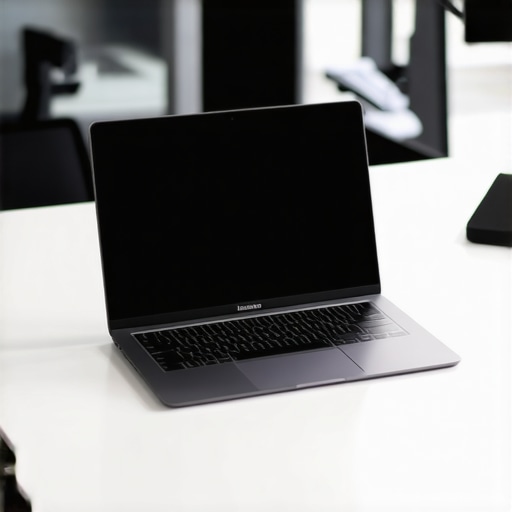
Ever been in the middle of a crucial presentation or a marathon work session when your laptop suddenly dies? That sinking feeling of helplessness, especially when you’re away from a power outlet, is all too familiar for many business professionals. I remember countless times frantically searching for a charging port in coffee shops, airports, and conference rooms—each time hoping my device would hold just a little longer. It’s frustrating, and honestly, it can derail your entire day.
Why Battery Life and Security Matter More Than Ever
The truth is, in today’s mobile work environment, having a reliable ultrabook isn’t just about speed or sleek design. It’s about staying productive without constantly hunting for a plug. Extended battery life means your workday isn’t dictated by your device’s power constraints. Secure features are equally crucial, especially with rising cyber threats and the need to protect sensitive data. A device that combines both security and long-lasting power can truly be a game-changer for busy professionals.
Is the Hype Around Ultrabooks Justified?
Early in my career, I made the mistake of choosing a lightweight laptop that sacrificed battery life for portability. It was a huge letdown. Since then, I’ve learned that the best ultrabooks strike a perfect balance—delivering not just portability but also robust security and all-day battery endurance. For those wondering if investing in such a device is worth it, I say yes—but only if you pick wisely. I recommend exploring resources like this guide on ultrabooks with extended battery life to make an informed decision.
So, if you’re tired of running out of juice before the day ends or worrying about data breaches, stick around. I’ll share practical tips and top models that can tackle these issues head-on, helping you stay productive and secure no matter where your work takes you.
Prioritize Your Needs When Choosing an Ultrabook
Start by clearly defining what matters most for your workday. Do you need a device that lasts all day without charging, or one with robust security features to protect sensitive data? Once you have your priorities set, visit this guide on ultrabooks with long battery life to shortlist models that match your criteria.
Assess Battery Performance and Security Features
Look beyond specifications—test real-world battery endurance by reading reviews or conducting your own trial if possible. Think of your ultrabook as a marathon runner: it needs stamina to go the distance. Focus on devices that combine high-capacity batteries with power-efficient components. For security, prioritize laptops with hardware-level protection like TPM chips, biometric login, and secure boot options. Visit this resource to explore models known for security and battery longevity.
Optimize Settings to Extend Battery Life
Once you’ve selected your device, fine-tune its settings for maximum endurance. Lower your screen brightness, disable unnecessary background apps, and activate battery saver modes. Think of this as driving a car in economy mode—every little adjustment counts. Regularly update your OS and drivers to ensure energy-efficient operation. This practice can add hours to your device’s life, especially during those critical work moments.
Implement Hardware and Software Security Measures
Secure your ultrabook physically and digitally. Use a strong password, enable two-factor authentication, and set up device tracking features. Consider hardware security like fingerprint scanners or facial recognition for quick, secure access—these are your security guard dogs. For data protection, encrypt sensitive files and back up regularly. Visit this page for advanced security tips tailored for business laptops.
Maintain Your Device for Longevity
Proper maintenance is key to ensuring your ultrabook remains reliable. Keep it clean, avoid exposing it to extreme temperatures, and regularly perform health checks on the battery. If you notice a significant drop in performance, consider replacing the battery before it causes downtime. Think of this as regular health check-ups—prevention is better than cure and keeps your device performing at peak levels.
Stay Updated on Latest Models and Tech Trends
Technology evolves rapidly; staying informed helps you choose the best device for your needs. Follow trusted sources and revisit this ultimate guide periodically. New models with improved security, longer battery life, and lighter designs are released frequently. Being up-to-date ensures you invest in a device that keeps you productive and secure for years to come.
Many professionals assume they understand ultrabooks thoroughly, but in reality, some misconceptions can lead to costly mistakes. Let’s dig deeper into the nuances and debunk some of the most common myths that often trip up even experienced users.
Why Most People Overlook Battery Degradation and Its Impact
One widespread myth is that battery capacity remains constant over time, but that’s far from the truth. Batteries naturally degrade with each charge cycle, reducing your device’s total runtime. This means a new ultrabook might promise all-day battery life, but after a year or two of intensive use, that endurance can drop significantly. Many users don’t realize this until they’re caught off guard during an important meeting or travel. To avoid surprises, it’s crucial to monitor your battery’s health regularly and replace it when needed. Some think that modern batteries don’t degrade, but studies show that even high-quality lithium-ion cells lose capacity over time, especially if not maintained properly. For instance, keeping your device at extreme temperatures accelerates battery aging. Regularly calibrate your battery, and consider models with easily replaceable batteries—these are often overlooked but can extend your ultrabook’s lifespan considerably. Check out this resource on long-lasting ultrabooks for better options.
Advanced Security Features Are Not Just Gimmicks
Another misconception is that security features like TPM chips, biometric login, and secure boot are optional or only for high-security environments. The truth is, these hardware-level protections are vital for everyday users, especially when handling sensitive business data. Ignoring them can leave you vulnerable to cyber threats and data breaches. Many assume that software security measures suffice, but hardware-based security provides a more robust defense against sophisticated attacks. For example, TPM chips store cryptographic keys securely, making it harder for hackers to access your data even if your device is physically stolen. Additionally, biometric authentication adds a quick, secure layer that prevents unauthorized access. Don’t fall into the trap of thinking these features are unnecessary; they are essential for protecting your work and reputation. If you want to learn more about integrating security with portability, visit this guide.
What Advanced Users Need to Know
For the seasoned professional, understanding the nuances of ultrabook performance involves more than just specs. It requires recognizing that real-world performance often diverges from advertised benchmarks. For instance, thermal throttling can reduce CPU efficiency under heavy loads, impacting productivity unexpectedly. Also, misconceptions about the importance of pure specifications—like CPU generation—can be misleading if not paired with proper cooling solutions and power management. Additionally, many overlook the importance of firmware updates and driver optimizations that can significantly improve battery efficiency and security. Experts recommend regularly checking for firmware updates and customizing power profiles for maximum longevity. To stay ahead, follow the latest models and trends through resources like this ultimate guide. Understanding these nuances ensures you invest wisely and avoid pitfalls that could compromise your device’s performance and security.
Keeping your ultrabook in top shape over time requires more than just initial setup; it involves consistent maintenance and the right tools to ensure longevity and peak performance. Personally, I rely on a combination of specialized software and routine hardware checks to stay ahead of potential issues that could compromise security or battery life.
Use Diagnostic and Monitoring Software
One tool I highly recommend is Battery Health Monitor. I use it daily to track my battery’s capacity and cycle count, which helps me decide when a replacement might be necessary. Battery degradation is often underestimated, but regular monitoring can prevent sudden failures. I also utilize this comprehensive guide to select ultrabooks with durable batteries and security features, ensuring I invest wisely.
Implement Routine Hardware Checks
Regularly cleaning your device’s vents and ports is crucial. Dust accumulation can lead to overheating, causing thermal throttling and battery drain. I schedule quarterly physical inspections using compressed air and a soft brush. Additionally, I keep a record of battery cycles and health status, which helps me plan timely replacements. This proactive approach extends my ultrabook’s lifespan and maintains optimal security and performance.
Optimize Software Settings for Longevity
Adjust your power settings to enable aggressive battery saver modes during low charge periods. I disable unnecessary background processes and auto-start apps through the task manager, reducing strain on the CPU and battery. Keeping your device’s firmware up-to-date can also improve energy efficiency—manufacturers often release updates that optimize power management algorithms. Consistently applying these tweaks ensures your ultrabook remains reliable for years.
Future of Maintenance and Tools
Looking ahead, I predict AI-driven diagnostics will become standard, providing real-time alerts for battery health, security vulnerabilities, and hardware issues. Advanced analytics could even suggest personalized maintenance routines based on usage patterns. Staying ahead means embracing these innovations early, which is why I recommend trying tools like Crucial Storage Executive for firmware updates and consulting professionals for complex repairs.
To maximize your ultrabook’s lifespan, start implementing routine hardware inspections and utilize monitoring software. These small but impactful steps will keep your device running smoothly, securely, and efficiently for years to come. Don’t wait until a failure occurs—be proactive with your maintenance practices today!
Lessons from the Trenches of Ultrabook Usage
- Battery degradation is a sneaky enemy: I used to believe new ultrabooks would stay at peak performance forever. The harsh truth is batteries lose capacity over time, often without obvious signs. Regular monitoring with tools like Battery Health Monitor has saved me from unexpected shutdowns, teaching me to replace batteries proactively before failures strike.
- Hardware security isn’t just for big corporations: I once dismissed biometric features as gimmicks, but now I see that fingerprint scanners and TPM chips are essential for protecting sensitive data, especially when working remotely or traveling. Investing in these features gives peace of mind that your work stays safe, no matter where you are.
- Real-world performance trumps specs: Benchmarks can be misleading. I found that thermal throttling and firmware updates impact actual usability far more than advertised CPU speeds. Staying informed through trusted sources like the ultrabook guide helps me make smarter choices and avoid costly mistakes.
- Routine maintenance extends device lifespan: Simple habits like cleaning vents and checking battery health quarterly have kept my ultrabook running smoothly for years. Small investments in hardware care prevent bigger problems down the road, saving me time and money.
My Essential Toolkit for Ultrabook Security and Longevity
- Battery Health Monitor: Critical for tracking battery capacity and planning replacements.
- Firmware Update Tools: Using manufacturer utilities ensures energy efficiency and security patches are up-to-date.
- Hardware Cleaning Supplies: Compressed air and soft brushes help prevent overheating and maintain performance.
- Monitoring Software: Regularly check system logs and health reports to catch issues early and stay ahead of failures.
Your Next Step in Ultrabook Mastery
Taking control of your ultrabook’s battery health and security isn’t just technical—it’s empowering. By adopting these practices, you’re investing in a device that works for you, day after day. Remember, technology evolves rapidly, so stay curious and keep learning; the best ultrabooks with long-lasting batteries and advanced security features are waiting for you to discover them. Ready to elevate your mobile productivity? Share your experiences or ask questions below—your journey starts now!



Rachel Simmons
This post hits home for me because I’ve been through the frustration of a dead battery during a crucial conference. Over the years, I’ve realized that investing in an ultrabook with excellent battery capacity and security features isn’t just a luxury—it’s essential for maintaining productivity and peace of mind on the go. One thing that’s helped me is setting up routine maintenance checks, especially cleaning vents and monitoring battery health via dedicated software. Have others found specific tools or routines particularly effective for extending their device’s lifespan? I’d love to hear your tips or device recommendations that balance security with long-lasting battery life. Staying proactive not only avoids unexpected failures but also prolongs the device’s longevity, which makes the initial investment worth it. Also, considering how quickly tech evolves, I wonder how often you all revisit your choices or upgrade to new models? It’s fascinating to see how substantial these improvements can be on security and endurance, really making a difference in our daily workflows.
Michael Johnson
This post really hits close to home for me. I’ve been caught off guard a few times with battery life during critical meetings or travel. Over the years, I’ve learned that choosing ultrabooks with a combination of high-capacity batteries and robust security features is vital for maintaining both productivity and data security. One thing that has helped me significantly is setting up routine system checks and monitoring my battery health with tools like BatteryInfoView. It’s surprising how much the battery can degrade over time without obvious signs, so regular monitoring can be a lifesaver. Also, I’ve noticed that simple practices like disabling unnecessary background apps and lowering screen brightness can extend battery endurance considerably in a pinch. I’m curious—what are some of your go-to maintenance routines or software tools for keeping your ultrabook running at peak performance? Do you prefer hardware with user-replaceable batteries or rely on software optimizations? I’d love to hear different approaches to balancing security, battery life, and longevity in a busy work environment.