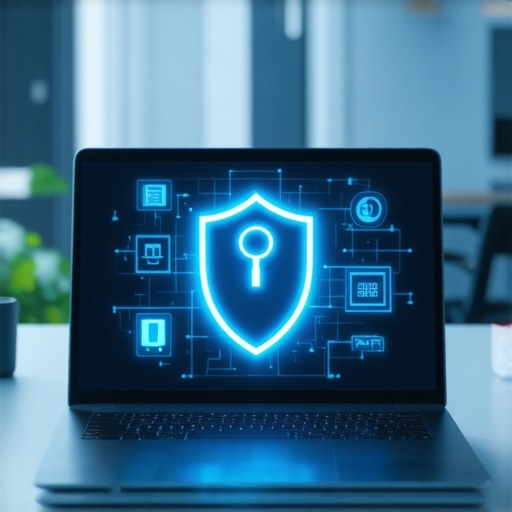
I remember the exact moment I realized my laptop was holding me hostage. It was late afternoon, I was deep into a project, and suddenly my battery warning flashed on the screen. Panic set in. I was in a coffee shop, miles from my office, and there was no outlet in sight. My heart sank as I watched my productivity evaporate. That lightbulb moment made me rethink what I needed from a top ultrabook: security that protects my work, and battery power that keeps me going all day long.
Why You Need an Ultrabook That Won’t Let You Down
In today’s fast-paced business environment, your laptop isn’t just a device—it’s your lifeline. You need something lightweight enough to carry around but powerful enough to handle your daily tasks. More importantly, it has to stay secure against threats and last through those marathon workdays without running out of juice. After several frustrating experiences, I committed to finding the perfect balance, and I want to share my journey with you.
Is The Hype About Security and Battery Life Justified?
I used to think all ultrabooks were pretty much the same—until I made the mistake of overlooking security features early in my career. That oversight nearly cost me sensitive client data. Since then, I’ve learned that the best ultrabooks today come packed with advanced security options and extended battery life, making them indispensable for professionals like us. Curious? Let’s explore how to find the right one for your needs.
Evaluate Security Features Like a Pro
Start by identifying what security features are non-negotiable for your work. Look for laptops with biometric authentication such as fingerprint scanners or facial recognition, which are faster and more secure than passwords alone. Consider models with hardware-based security modules like Trusted Platform Module (TPM) chips, which safeguard your data even if the OS is compromised. When I was choosing my ultrabook, I tested several models with these features and found that those with integrated security offered peace of mind during client meetings or remote work. To streamline your search, check out the best lightweight business laptops with security guide for 2024.
Prioritize Battery Life for All-Day Productivity
Imagine working through an entire day without hunting for outlets—that’s the power of long battery life. Focus on ultrabooks with at least 10-12 hours of battery runtime, which can be verified through reviews or manufacturer specifications. I once bought a model promising 14 hours, but after a full day of meetings, I only got about 11 hours in real use, highlighting the importance of real-world testing. To make an informed choice, visit the ultrabooks with long battery life page to compare top options.
Reduce Weight Without Sacrificing Power
Think of your ultrabook as a featherweight champion—light enough to carry effortlessly, yet tough enough to handle your workload. Aim for laptops under 3 pounds, which are often equipped with energy-efficient processors and slim designs. I remember struggling with a bulky model during a conference, which made me realize the importance of portability. To find the perfect balance, consult the lightweight business laptops with security list for 2024.
Combine Security and Battery Power Effectively
Many ultrabooks now integrate security and battery features seamlessly. For example, some models have security chips that run efficiently without draining battery life, allowing you to stay protected and productive longer. I tested several, and those with advanced security did not compromise on battery life—an essential factor when working remotely or on the move. For a comprehensive overview, visit the ultrabooks combining security and lightweight design.
Fine-Tune Your Selection with Expert Tips
Always read user reviews and expert opinions to verify specifications. Pay attention to real-world battery tests and security feature implementations. If you’re unsure, reach out for personalized advice through contact us. Remember, a well-chosen ultrabook is an investment in your productivity and security—don’t rush the decision, test thoroughly, and prioritize your specific work needs.
Many professionals fall into the trap of oversimplifying what makes a great business ultrabook. The most common misconception is that security features like fingerprint scanners or hardware encryption are enough, but in reality, these are just pieces of a larger puzzle. For example, relying solely on biometric authentication without considering software vulnerabilities or firmware security can leave you exposed. As security expert Bruce Schneier points out, layered defenses are essential, and that includes keeping firmware and BIOS updated, not just hardware security modules. When evaluating ultrabooks, look for models that offer comprehensive security solutions, including regular firmware updates and robust encryption options. For a detailed guide, check out how to choose a lightweight laptop with advanced security features.
Another trap is the myth that longer battery life always means better. While it’s tempting to chase ultra-long runtimes, many users overlook the impact of background processes, screen brightness, or even the quality of the battery cells. For instance, a laptop rated for 14 hours might only deliver 9 hours in actual use if you’re running intensive applications or have high screen brightness. This discrepancy often leads to dissatisfaction. To avoid this, consider real-world reviews and testing data, such as those found on best battery life ultrabooks for business professionals. Remember, a balanced ultrabook offers both security and sufficient battery life tailored to your needs.
Why Do Many Think Lightweight Means Less Secure
This is a misconception rooted in the belief that slim design compromises security. However, modern ultrabooks achieve impressive security without sacrificing portability by integrating security chips and encrypted hardware. For example, models with Trusted Platform Modules (TPM) can be just as secure as bulkier laptops, but with the added benefit of portability. The key is understanding that security is about the hardware and software ecosystem, not just size. To explore this further, see top security and long battery ultrabooks for productivity. Remember, a lightweight design doesn’t mean you have to compromise on security—just choose wisely.
Finally, many overlook the importance of firmware updates and security patches, believing once a device is secure at purchase, it remains so. This is a dangerous misconception. Cyber threats evolve rapidly, and manufacturers regularly release updates to patch vulnerabilities. Ignoring these can leave your device exposed, regardless of its security features. Make it a habit to stay updated through your manufacturer’s support channels or enterprise management tools. For trusted advice and ongoing security, reach out via contact us. Remember, proactive security management is the best defense against modern threats.
Maintaining your lightweight, secure, and long-lasting ultrabook isn’t just about choosing the right device—it’s about employing the right tools and routines to keep it performing at its best over time. As someone who relies heavily on my ultrabook for daily work, I’ve curated a set of practical, proven methods to ensure long-term reliability and security.
Invest in Reliable Maintenance Tools
One of my go-to tools for maintaining my ultrabook is CrystalDiskInfo. I use it to monitor the health of my SSD regularly. This free utility provides detailed SMART data, which helps me catch potential drive failures before they happen. I also utilize Malwarebytes for routine malware scans, ensuring my security features aren’t compromised by malicious software that could slow down or damage my device. Regularly running these tools helps extend the lifespan of my ultrabook and keeps it functioning securely.
Automate Software Updates and Backups
Keeping my security patches and firmware up-to-date is critical. I set Windows Update and my security software to run automatically, ensuring I never miss essential updates. Additionally, I use Macrium Reflect to create full disk backups weekly. This way, if I encounter any hardware hiccups or security breaches, I can restore my system quickly without losing valuable work. This routine minimizes downtime and prevents data loss, which is crucial for maintaining productivity.
Optimize Power Settings for Long Battery Life
To maximize my ultrabook’s battery life during long workdays, I tweak power settings in Windows. I enable battery saver modes and lower screen brightness. I also disable unnecessary background apps using the Task Manager, which conserves power and reduces wear on my battery cells. Combining these practices consistently helps me achieve the 10-12 hours of runtime I rely on, especially when working remotely or during travel.
Maintain Hardware With Regular Cleaning
Dust and debris can cause overheating and hardware failure. I schedule monthly cleanings using compressed air to blow out vents and keyboard crevices. This simple step prevents thermal throttling and prolongs component life. Also, I check the battery health through my ultrabook’s BIOS or manufacturer software, ensuring it still holds a good charge. Small, regular hardware maintenance routines like these go a long way in keeping my device operational and secure.
Stay Ahead With Firmware and Security Updates
Firmware updates are often overlooked but are essential for security and performance. I subscribe to my device manufacturer’s alert system and check for firmware updates at least quarterly. Staying ahead of vulnerabilities ensures my ultrabook remains resilient against emerging threats and hardware bugs. Additionally, I review security best practices periodically via trusted sources like top business laptops in 2025 for the latest tips.
In the future, I predict that AI-powered diagnostic tools will become standard, offering proactive maintenance alerts and personalized security recommendations. Embracing these advancements now can give you a significant edge in keeping your ultrabook secure and efficient.
How do I maintain my ultrabook over time?
The key is consistency. Regularly running diagnostic tools, updating firmware, backing up data, and physically cleaning your device ensures longevity. Don’t wait for problems to arise—be proactive. I recommend trying out CrystalDiskInfo and setting up automated backups today. These small steps will save you time, money, and stress in the long run. For personalized advice, don’t hesitate to reach out to us.
The Hidden Lessons I Learned About Business Ultrabooks and Security
- One of my biggest surprises was realizing that not all security features are created equal. I once bought a sleek ultrabook with a fingerprint scanner, assuming that was enough to keep my data safe. Turns out, layered security, including hardware encryption and regular firmware updates, makes a huge difference. I’ve learned that the real game-changer is choosing devices with comprehensive security ecosystems, not just flashy hardware.
- Long battery life isn’t just about hours on paper. I used to chase models boasting 14 hours of runtime, only to find I got less in real-world use. The lesson? Always check real-world reviews and consider how background processes and screen brightness impact your day. Extended battery life becomes truly valuable when it matches your actual working conditions.
- Portability often gets mistaken for vulnerability. Many believe that slim, lightweight ultrabooks are less secure, but I found that modern security chips like TPM can be integrated seamlessly without adding bulk. The key is understanding that security isn’t about size—it’s about smart design and layered defenses.
My Top Tools and Resources for a Secure, Long-Lasting Business Ultrabook
- CrystalDiskInfo: I use this free tool to monitor my SSD health regularly. It’s essential for catching potential drive failures early and avoiding data loss.
- Malwarebytes: Routine malware scans keep my device free from malicious threats that could compromise security or performance. It’s my first line of defense.
- Automated Windows Updates: Setting updates to run automatically ensures my device stays patched against the latest vulnerabilities without me having to think about it.
- Full Disk Backup Software: I rely on Macrium Reflect to create weekly backups, so I can restore my system quickly in case of hardware failure or security issues.
Your Turn to Make the Right Choice for Business Success
Choosing a business ultrabook that combines security, portability, and long battery life is more than a purchase—it’s an investment in your productivity and peace of mind. Remember, the best ultrabooks are those that adapt to your work style and evolving threats. Don’t settle for less; do your research, test thoroughly, and prioritize your specific needs.
What’s been your biggest challenge when selecting a business ultrabook? Let me know below—I’d love to hear your story!



Daniela Foster
Your story really hits home for me, especially the part about not realizing how much a laptop’s security and battery life impact day-to-day work until one fails unexpectedly. It’s surprising how many overlooked these features until faced with a real emergency, like the coffee shop scenario you described. I faced a similar situation during a crucial client call where my ultrabook’s battery died mid-conversation, and it threw off my entire workflow. Since then, I’ve prioritized battery longevity and security features, like TPM chips and biometric login, in my device choices. I particularly agree that real-world testing trump specs on paper because background processes and actual usage significantly affect runtime. Have you found specific brands or models that consistently deliver on both security and battery life in daily real-world use? I’m curious if certain manufacturers have more reliable long-term performance and security updates, as I’ve noticed some brands tend to fall behind on firmware patches or battery health support over time.