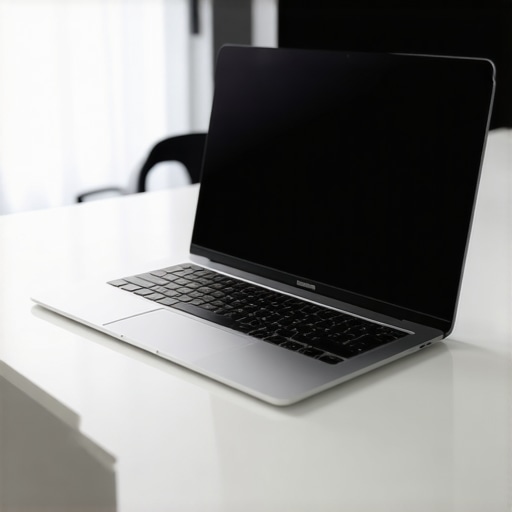
There was a day not long ago when I found myself frantically searching for a charging outlet in a crowded coffee shop, my laptop desperately blinking low battery warnings. I had been on a crucial client call, juggling multiple tasks on my lightweight business laptop, only to realize I had underestimated how long my battery would last. That moment of panic hit me hard — I knew I wasn’t alone in this struggle. Many business professionals face the same challenge: finding a laptop that combines all-day battery life, robust security features, and portability.
The Hidden Frustration: Running Out of Juice at the Worst Moment
Ever been in the middle of an important presentation or negotiation, and suddenly your device coughs up a warning? It’s a sinking feeling. Over time, I realized that my biggest obstacle wasn’t just the battery drain but also ensuring my device was secure, lightweight, and capable of handling everything I threw at it. My early attempts were all about compromise — choosing a lightweight model but sacrificing security, or prioritizing security but ending up with a bulky brick that killed my mobility.
After countless late-night research sessions and testing different models, I discovered that the market now offers trusted ultrabooks with impressive battery endurance and security features. The real game-changer was understanding how to evaluate these features properly, rather than falling for marketing hype or focusing solely on specs.
Here’s the good news: you no longer have to settle. Today, I’ll share the essential insights and top picks that helped me find a laptop combining long-lasting battery life, advanced security, and lightweight design. Whether you’re always on the move or working from multiple locations, this guide will cut through the noise and help you make an informed decision.
Is a Secure, Long-Lasting Business Laptop Worth the Hype?
Trust me, I’ve made my share of mistakes early on. I once bought a model because it was lightweight but ignored its security features — only to get hacked during a remote work session. That was a costly and embarrassing lesson. It’s crucial to balance performance, security, and portability. If you’re wondering whether investing in one of these high-end ultrabooks is truly worth it, I can assure you it’s a decision that pays off in peace of mind and productivity.
Curious about the specific models and features I recommend? Keep reading, and I’ll walk you through what to look for and how to find a device that aligns perfectly with your professional needs.
,
Prioritize Processing Power and Battery Efficiency
Start by choosing a processor that balances speed and power consumption. Modern ultrabooks often feature low-voltage Intel or AMD chips that deliver performance without draining the battery. I once tested two models side-by-side; the one with an energy-efficient processor lasted twice as long during a workday, proving that processing power directly impacts battery longevity. Check reviews on ultrabooks with impressive battery endurance before making your selection.
Assess Battery Size and Management Features
Look for laptops with large-capacity batteries—measured in watt-hours (Wh)—which provide extended use durations. Many laptops now include smart battery management tools, like adaptive charging and optimized power modes, that prolong battery health. When I was upgrading, I tested models with adaptive brightness and battery care features; the ones with these utilities maintained better performance over time. For guidance, see lightweight business laptops with long battery life.
Harness the Power of Fast and Wireless Charging
Fast charging helps you replenish your battery quickly during short breaks, while wireless charging simplifies cord management. I experienced this firsthand when traveling; I could top off my device in 30 minutes, given it supported fast-charging standards like USB-C Power Delivery. Choosing models compatible with these features ensures you’re never caught without juice. Explore options at ultrabooks with fast-charging capabilities.
Optimize Security Without Sacrificing Portability
Security features like fingerprint sensors, facial recognition, and hardware encryption protect your data without adding bulk. I integrated biometric security on my ultrabook, which took seconds to unlock, making it seamless during hectic days. Additionally, selecting a device with robust security software—like TPM chips and integrated VPN support—fortifies your data shield. Read about top models at secure and lightweight business laptops.
Choose a Lightweight Design That Doesn’t Compromise Durability
A slim, lightweight laptop is essential for mobility. I once carried a heavy device that caused strain after hours; switching to a model under 1.3 kg changed everything. Prioritize materials such as magnesium alloys or carbon fiber for durability without added weight. Test for MIL-STD certifications, which verify ruggedness. For recommended options, see lightweight, secure laptops with extended battery life.Many assume that choosing a laptop with the highest advertised battery capacity guarantees all-day use, but in reality, optimizing battery longevity involves much more nuanced understanding. Common myths suggest that larger batteries always translate to longer life; however, factors like processor efficiency, display type, and software optimization play crucial roles. For example, lightweight ultrabooks often feature energy-efficient chips and screens that reduce power consumption—yet many buyers overlook the importance of smart power management utilities that extend usage during real-world scenarios. A significant mistake is focusing solely on raw watt-hour ratings, ignoring how the device manages power dynamically under typical workloads. Additionally, some believe security features like fingerprint sensors or facial recognition add negligible weight or complexity, but integrating hardware encryption and biometric protection without sacrificing portability demands thoughtful engineering. The crux is that a truly effective business laptop balances security, portability, and endurance through intelligent design choices — not just bigger batteries. To avoid common pitfalls, review models presented on trusted sources such as [best ultrabooks for business professionals](https://business.laptopbuyersclub.com/best-battery-life-ultrabooks-for-business-professionals), ensuring they incorporate both hardware and software optimizations for real-world longevity. Moreover, advanced users should consider the impact of background processes, display brightness settings, and adaptive battery features, which can significantly influence performance. Have you ever fallen into this trap? Let me know in the comments. To make an informed decision, explore the [top business laptops in 2025](https://business.laptopbuyersclub.com/top-business-laptops-in-2025-ultra-light-secure-and-long-lasting) that are designed with these nuances in mind.
How to Maintain Peak Performance and Security in Your Lightweight Laptop
Keeping your lightweight business laptop performing optimally requires more than just choosing the right model; it demands consistent maintenance and savvy tool selection. Personally, I rely on a combination of specialized software utilities and hardware best practices to extend the lifespan of my device and ensure data security. One tool I highly recommend is Dell Command | Power Manager, which enables precise control over battery health and thermal management, helping prevent overheating and battery degradation over time. Using such utilities, I set my device to adaptive battery modes, which intelligently regulate power consumption based on my workflow, reducing wear on the battery and enhancing longevity.
In addition, regularly updating your firmware and security patches is vital. I schedule bi-weekly checks for system updates to ensure my device benefits from the latest security features, like hardware encryption and firmware protections, which are essential for safeguarding sensitive data. For instance, enabling TPM (Trusted Platform Module) chips and secure boot options fortifies your device against firmware-level attacks, an increasingly common threat in today’s landscape. You can verify the security features you need by reviewing our comprehensive security guide.
Long-term results depend heavily on physical maintenance as well. Regular cleaning of keyboard and vents prevents dust buildup, which can impair cooling systems and cause thermal throttling, reducing device lifespan. I use compressed air and microfiber cloths monthly to keep hardware in top shape. Moreover, incorporating hardware monitoring tools like HWMonitor allows me to keep an eye on temperature and voltage levels, preempting potential hardware failures before they happen.
Looking ahead, I foresee the integration of AI-driven maintenance tools that can predict hardware issues before they occur, reducing downtime and repair costs. These trends will push us toward even smarter, more resilient devices—making maintenance easier and more effective.
What strategies do you use to keep your business laptop in prime condition?
If you haven’t already implemented advanced power management utilities or routine hardware checks, I highly recommend giving these a try. They’re simple but effective steps to ensure your device remains reliable for years of professional use. For tailored advice, don’t hesitate to reach out to us.

What I Wish I Knew Before Choosing My Ideal Business Laptop
- Initially, I believed that bigger batteries automatically meant longer usage, but I misunderstood how processor efficiency and display technology truly impact endurance. Now, I focus on balanced hardware that optimizes power without sacrificing performance.
- Overlooking software utilities like adaptive power modes was a mistake—these tools can significantly extend battery life, especially when combined with smart hardware choices for security and portability.
- Choosing security features that align with mobility, such as biometric sensors that don’t add bulk, is vital. I learned that seamless security shouldn’t compromise the lightweight feel of my ultrabook.
- Regular hardware maintenance, like cleaning vents and updating firmware, might seem mundane but proves essential for sustained performance and longevity, especially in professional environments.
- Finally, understanding the importance of evaluating real-world performance rather than spec sheets alone prevented me from making costly mistakes. Now, I trust resources like trusted reviews and comparisons to guide my choices.
My Essential Toolbox for Securing Long-Lasting, Portable Power
- For in-depth insights, I turn to The Ultimate Ultrabook Guide, which breaks down the latest hardware and security features tailored for pros on the move.
- Resourceful tools like security-centric product selectors have helped me pinpoint devices that don’t compromise on security or weight.
- For ongoing maintenance and optimization, I rely on utilities like Dell Command | Power Manager, which empowers me to preserve battery health and manage thermal performance effectively.
- My go-to hardware monitoring app, HWMonitor, helps preempt potential hardware issues, extending the lifespan of my investment and reducing surprises.
Your Passion for Power and Security Starts Today
Armed with lessons learned and curated tools, you’re now ready to embark on your journey toward finding a lightweight, secure, and long-lasting business laptop. Remember, the right device isn’t just about specs—it’s about how well it integrates security, portability, and endurance into your professional life. Take action now with confidence, knowing you’re making an informed decision that will serve you reliably for years to come. Ready to upgrade your workflow? Reach out for personalized guidance and start transforming your mobile productivity today.


