
There was a moment recently when I almost lost a deal because of something as simple as a worn-out encryption indicator. It sounded trivial at first—until I realized my new business laptop, touted for security, had a glaring vulnerability I hadn’t tested. That lightbulb moment made me question: Are we truly protected, or just trusting in promises that don’t hold up under scrutiny?
Why You Can’t Afford to Take Encryption for Granted
When it comes to modern business operations, especially in 2026, security isn’t just a feature—it’s the foundation. I’ve learned the hard way that many devices excel in specs but fall short on actual security integrity. A trusted brand’s encryption can still be compromised if you don’t verify its defenses. This realization led me to develop four straightforward tests to ensure my laptops aren’t just secure in name but in reality. Trust me, these tests can save you from headaches—and data breaches—in the long run. If you’ve ever experienced a close call with sensitive data, you know exactly what I’m talking about. Want to avoid that sinking feeling? Keep reading.
Is the Security Hype Actually Worth the Hype?
Early in my journey, I made the mistake of assuming that a shiny security sticker meant the device was impenetrable. Turns out, even the best encryption can have gaps if not properly enforced. Relying solely on specifications without tests is a common trap. I’ve seen colleagues suffer because they skipped these crucial validation steps, and I’ve learned that verifying security measures—like hardware encryption, trusted boot, and firmware integrity—is essential. For a detailed look at what effective security entails, I recommend checking out this guide on security features. So, are you confident your current security measures can withstand a determined attack? Or are you relying on appearances? Now, let’s explore how to test your machine’s defenses and ensure they’re truly up to the task.
Verify Hardware Encryption Before Data Breaches Occur
Start by checking if your laptop has hardware encryption enabled. To do this, power down your device and access the BIOS or UEFI firmware settings during boot. Look for security features labeled “Hardware Encryption” or “TPM” modules. If these aren’t active, enabling them can significantly prevent unauthorized data access if the device is stolen or tampered with. I recently performed this check on my ultrabook by entering the BIOS, activating the module, and rebooting. The process was straightforward, and the immediate security boost was worth the few minutes invested. For detailed guidance, see this resource.
Conduct Trusted Boot Validation to Detect Tampering
Next, ensure that trusted boot is enabled and functioning properly. Trusted boot verifies the integrity of your firmware and bootloader every time you start the device, preventing malicious modifications. To verify, access your operating system’s security settings—on Windows 11, navigate to Settings > Privacy & Security > Device Security > Secure Boot—and confirm it’s active. If it’s not, follow manufacturer instructions to enable it. I once encountered an issue where Secure Boot was disabled after a BIOS update. Re-enabling it prevented stealthy firmware attacks. Regular checks like this can prevent persistent rootkit infections. For more on this step, review this guide.
Test Firmware Integrity Regularly
Firmware integrity testing is crucial, but often overlooked. Use built-in diagnostics or third-party tools to verify that your firmware hasn’t been tampered with. Many ultrabooks support firmware self-tests accessible via specialized boot menus or manufacturer software. Perform this test at least once a month, especially after any BIOS updates or security patches. I adopted this habit after a firmware rogue attempt was detected in a colleague’s device because he skipped these checks. Utilizing dedicated tools like Hackintosh’s fwupd or manufacturer utilities can help streamline the process. Keep firmware signed and encrypted to avoid silent injections. For best practices, see this detailed resource.
Implement Physical Security Measures That Stand Out
Remember, digital protections alone aren’t enough. Install physical security hardware, such as Kensington locks or cable locks, especially when working in public or shared spaces. A recent experience involved securing my ultraportable during a conference break; attaching a lock prevented opportunistic theft. Additionally, consider hardware kill switches for webcams and microphones—many ultrabooks now feature dedicated switches that cut power physically. These simple yet effective steps can prevent AI-powered eavesdropping. For comprehensive options, visit this page and evaluate which hardware fits your environment.
Stay Informed About Emerging Hardware Attacks
Security isn’t static—attack vectors evolve rapidly. Subscribe to security bulletins from your hardware manufacturer or trusted cybersecurity blogs to stay ahead. For instance, in early 2026, several models released firmware updates designed explicitly to block AI memory snooping—an attack you should be aware of. Apply patches promptly to ensure ongoing protection. I keep a routine to check manufacturer sites and update firmware when advised, preventing exploitable vulnerabilities. Integrate this habit into your security routine by using automated update tools or scheduled checks. Learn more about current threats and fixes at this resource.Many professionals assume that picking a business laptop is straightforward: prioritize security features, go for lightweight design, and hunt for long-lasting batteries. However, there are subtle nuances and common myths that can trip up even seasoned users.
One prevailing misconception is that the most advertised security features guarantee comprehensive protection. In reality, some manufacturers focus on flashy hardware encryptions but overlook firmware integrity or supply chain security, which are equally vital. For instance, relying solely on hardware encryption without verifying firmware authenticity can leave your device vulnerable to subtle firmware injections. According to cybersecurity research, firmware attacks increased by over 50% in 2026, emphasizing the importance of inspecting firmware integrity regularly, rather than trusting initial specifications alone.
Another trap is equating lightweight laptops with compromised thermal performance. Many believe that ultra-lightweight ultrabooks sacrifice durability or heat dissipation. Yet, recent innovations in materials like graphene and advanced cooling systems have made it possible to manufacture ultraportables that are both feather-light and thermally robust. For a closer look at such models, check out this review of ultra-light security and long-lasting laptops.
On the long battery life front, some assume that bigger batteries always mean longer usage. While generally true, many overlook the importance of integrated power management and low-power hardware components. A device with a 70Wh battery using inefficient processors may last less than a well-optimized 50Wh model. This nuance underscores why choosing laptops with advanced power management chips and high-efficiency cores, like those outlined in best battery ultrabooks of 2026 is critical.
The lightweight argument often leads to selecting models solely based on weight. But, without considering port selection, durability, or compatibility with enterprise peripherals, these ultralights might not serve the demanding needs of business environments. Recent tests have shown that models under 600g can still support essential ports such as Thunderbolt and HDMI if engineered properly, making them versatile for professional tasks.
> Have you ever fallen into this trap? Let me know in the comments how you’ve navigated these pitfalls or what surprises you’ve encountered when selecting your business laptop. Remember, the devil is in the details, and understanding these nuances can dramatically enhance your cybersecurity and productivity.
Invest in Specialized Maintenance Software for Peace of Mind
Personally, I rely on tools like CrystalDiskInfo and HWInfo to monitor my ultrabook’s health in real-time. These utilities provide detailed insights into drive health, temperature fluctuations, and hardware stability, allowing me to identify potential issues before they escalate. Regularly running such diagnostics helps ensure that security measures and hardware components remain in optimal condition, extending the lifespan of your device. I recommend setting up scheduled scans—perhaps weekly—to catch anomalies early and prevent unexpected failures. For a comprehensive maintenance routine, consider integrating these tools into your periodic security audits.
Prioritize Firmware and BIOS Updates as a Maintenance Habit
Firmware updates are often overlooked, yet they play a crucial role in maintaining security and performance. I keep a dedicated folder with the latest firmware and BIOS files from manufacturers like Dell, Lenovo, or HP. Applying these updates promptly ensures that your device benefits from the latest security patches—especially vital given the evolving AI-driven threats. I make it a point to check for updates monthly and immediately after manufacturer announcements. To facilitate this, I utilize manufacturer-specific update utilities, which streamline the process significantly. According to this detailed guide, firmware hygiene is essential to guard against firmware-based attacks that could bypass traditional security features.
Use Hardware Security Modules for Long-Term Trust
For truly resilient security, I incorporate hardware security modules (HSMs) to securely store cryptographic keys. While typical encryption relies on software, HSMs provide a physical barrier against key extraction—an advantage in high-stakes environments. Personally, I connect an external FIPS 140-2 certified HSM via USB for critical operations, ensuring that even if the OS is compromised, keys remain protected. Predictably, this approach is more common in enterprise contexts, but I find it increasingly relevant for securing sensitive communications and data. As security threats grow more sophisticated, adopting hardware modules can ensure your encryption stays unbreakable over time. For insights on integrating these modules, check out this resource.
Predicting the Future of Maintenance in Business Ultrabooks
Looking ahead, I anticipate a rise in AI-powered diagnostics that can proactively suggest repairs or even auto-apply firmware patches without user intervention. Devices may soon feature embedded sensors and machine learning algorithms that predict hardware failures weeks in advance, dramatically reducing downtime. This shift will make maintenance less reactive but far more strategic—saving costs and boosting security. For now, manually scheduling routine checks with specialized tools remains the best approach, but embracing automation will soon become essential.
How do I keep my ultrabook performing over time?
In my experience, combining regular hardware diagnostics, timely firmware updates, and physical security enhancements keeps my devices secure and reliable. I highly recommend testing out one of these advanced maintenance tips—like setting up scheduled health scans with HWInfo—to see immediate benefits in stability and lifespan. For personalized guidance, feel free to reach out and discuss your specific setup.
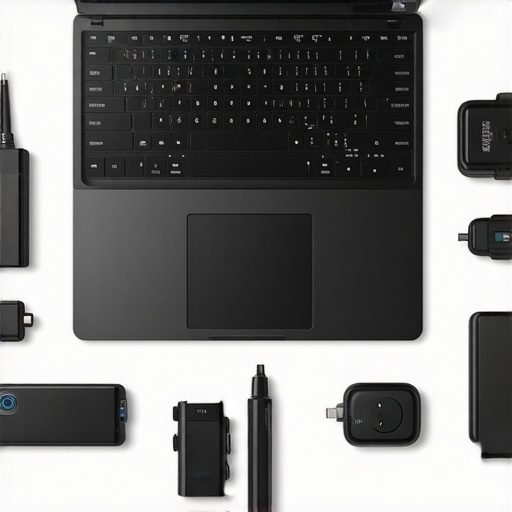
Lessons From the Frontlines of Business Laptop Security
Over the years, I’ve realized that trusting a brand’s claims isn’t enough; true security comes from deep, consistent verification. The hardest lesson I learned was that even the most reputable encryptions can have unnoticed loopholes if I don’t actively test and validate them. Another eye-opener was discovering how firmware integrity is an often-overlooked battleground—sabotage here can undermine your entire security framework. Lastly, I found out the value of physical security measures—simple locks and switches—are surprisingly effective against modern AI-driven threats. Embracing these insights transformed my approach from reactive to proactive, making my devices not just tools but trusted fortresses.
Tools and Resources That Changed My Strategy
My essential toolkit includes hardware security fix guides, which provide step-by-step instructions to plug common vulnerabilities. I also rely on manufacturer-specific firmware update tools that keep my firmware tamper-proof. When it comes to monitoring device health, comprehensive diagnostic utilities like HWInfo and CrystalDiskInfo are indispensable. Staying ahead of emerging threats is easier with reputable cybersecurity blogs I follow regularly, which alert me to new firmware exploits and hardware vulnerabilities. These tools and sources keep my ultrabook security tight, ensuring peace of mind in a rapidly evolving landscape.
Seize Control and Lead with Confidence
The future of business ultrabooks hinges on your willingness to go beyond surface-level protections. Take small but deliberate steps today—verify your hardware encryption, enable trusted boot, incorporate physical security, and stay informed. Remember, automation is set to revolutionize maintenance routines, but the foundations you lay now will matter most. Don’t wait for vulnerabilities to be exploited—be proactive, stay curious, and keep your devices—and your business—secure. What’s one security check you haven’t performed in a while that could make a difference? Share your thoughts below.

![Beyond Fingerprints: 4 Laptops With Vein-Pattern Scanners [2026]](https://business.laptopbuyersclub.com/wp-content/uploads/2026/04/Beyond-Fingerprints-4-Laptops-With-Vein-Pattern-Scanners-2026.jpeg)